Product Filtering setup and use
The first steps in adding product filtering:
In WOWProV3 the are types:
Determine what attributes customers need to filter by, such as:
- Number ( This must contain whole number ie: 1 through to 999999)
Weight, Height, diameter, thickness or other - Yes/No ( This just a Yes / No )
Is it waterproof? - String (Can be any wording)
Materials, Thickness or other - Select (Select from a list)
A select list to choose from ie: Mirror, Polarised, Platinum Coat or other
After adding filters to products in WOWProV3, the product list will automatically display the filters, making it easier for customers to refine their choices. This improves the shopping experience by allowing customers to quickly narrow down products based on their preferences.

This Example is using Number and Select filter types:
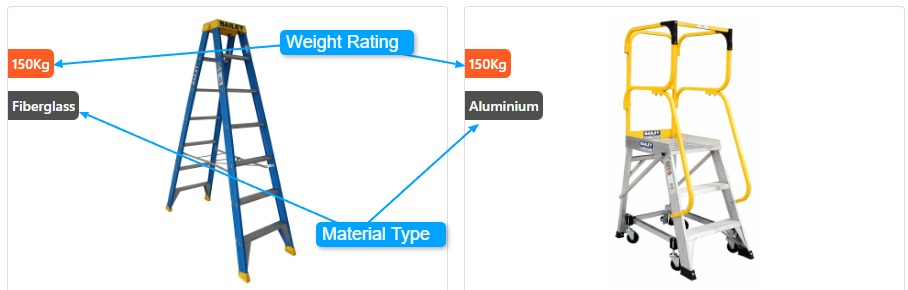
Number Filter View

Select Filter view
