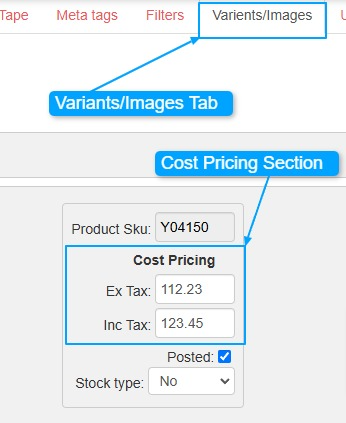
Cost Pricing
To set cost product pricing with tax considerations, follow these steps:
- Edit the Product: Go to the product you want to add cost pricing to and edit its details.
- Go to the Variants/Images Tab: Click on the "Variants/Images" tab located at the top of the page.
- Tax Settings: If your product is set to "Tax Included," the system will automatically calculate the corresponding value.
- For example: if you enter the price Ex Tax and then click on Inc Tax, the system will automatically calculate the price including tax.
This feature helps automate the pricing process based on your tax settings. Make sure to adjust your tax settings based on your region and business needs.