Photo Gallery settings and operational help
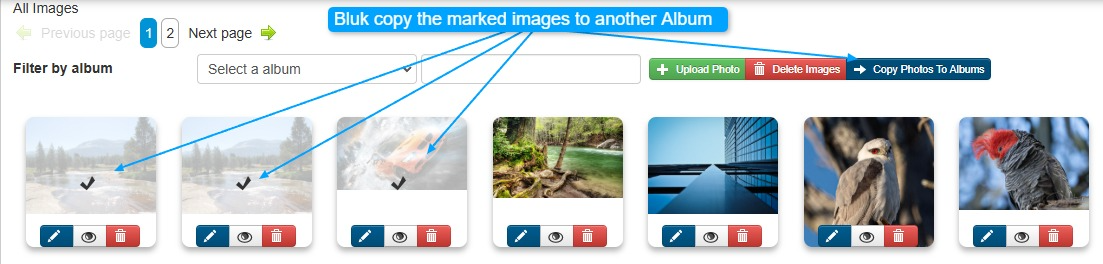
Photos section is where you can
- Upload new photos
- Update existing photos
- Search for a photo
- Preview the photo
- Copy the photo into another album
- Share with another album
Uploading:
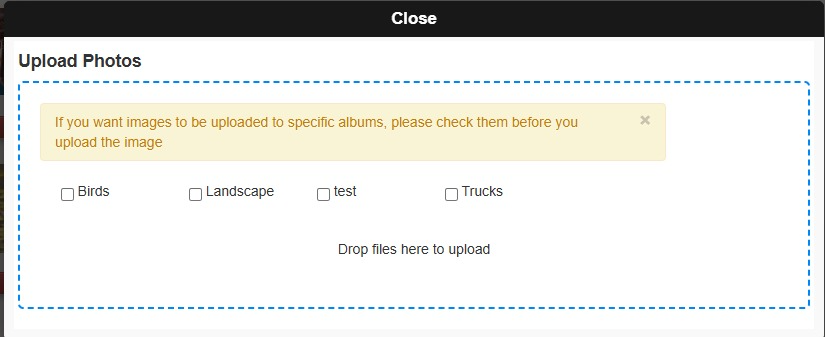
You can drag and drop your images into this upload panel or click to select them.
To add photos to a specific album, be sure to select the album before uploading your images.
Editing a Photo
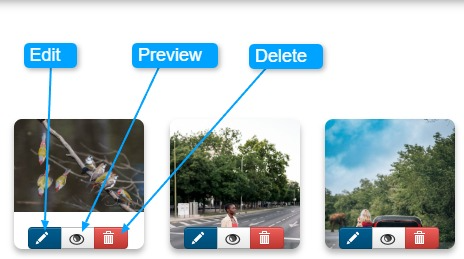
Editing the image:
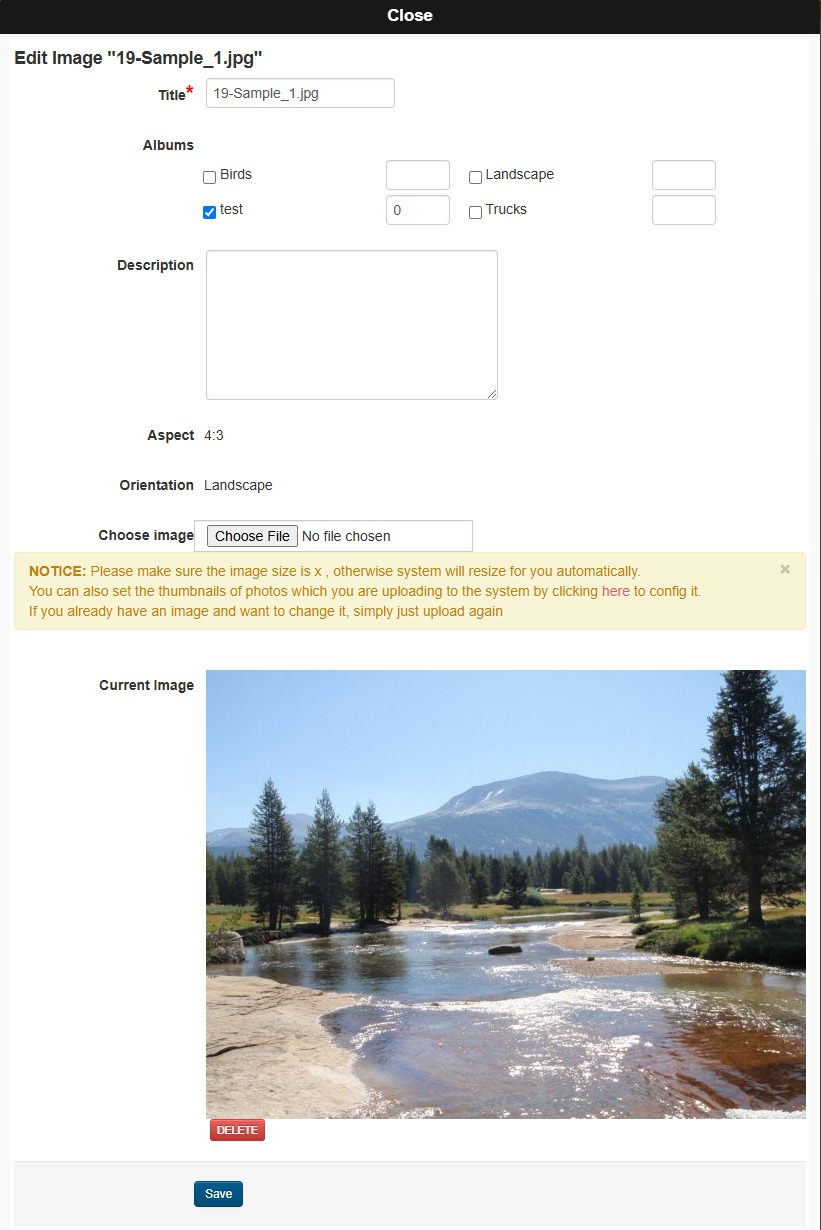
- You can include the image into other albums here
- Change the title of the image
- Add a description to the image
- Delete the image here
Copying to Another Album
Click on the images you want to copy. Once you click on them, the Copy Photos to Album button will show