Adding a Webhook to Stripe
Step 1.
Once you have login to Stripe.
Step 2.
Go to Settings -> Payments scroll to the bottom of the page and click on Config Webhooks
Step 3.
Click on +Add Destination

Step 4.

Step 5.
Scroll down to the options and select Payment Intent and Select Payment_intent.amount_capturable_update.
Then click Continue

Step 6.
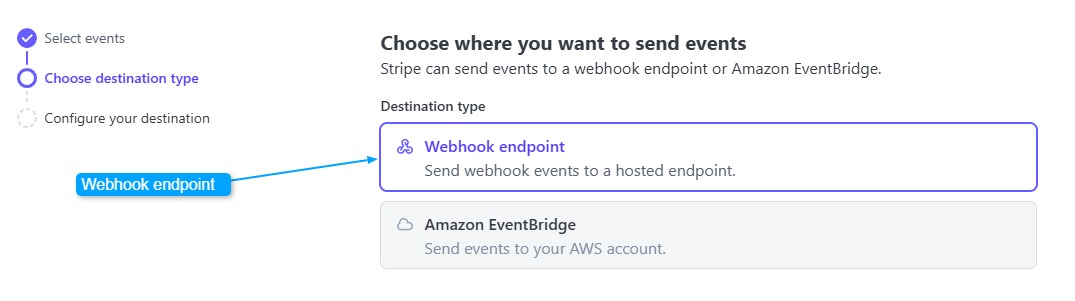
Select Webhook endpoint and Continue
Step 7.
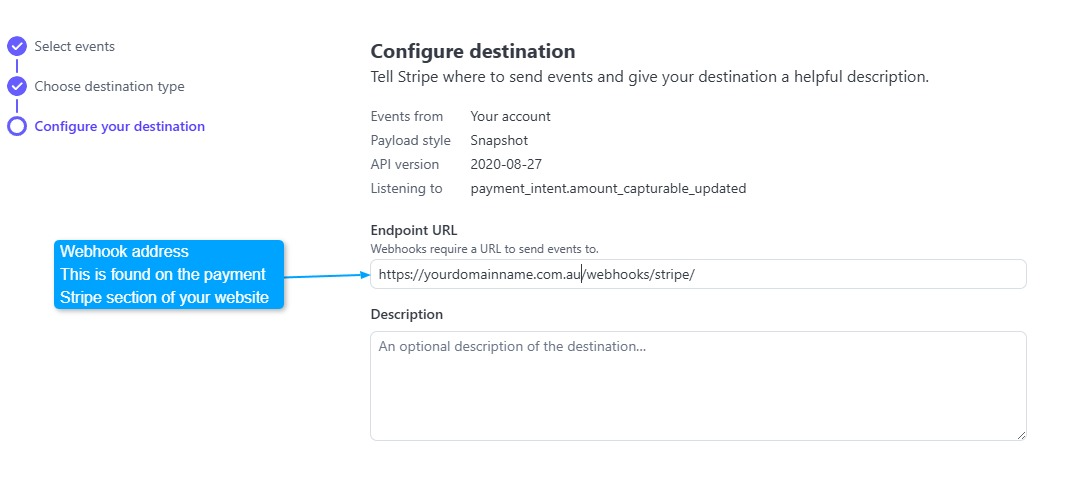
Add the webhook address found under payment > stripe section
Example: https://yourdomainname.com.au/webhooks/stripe
Continue to finish