How to Setup Wholesale Account
Step 1:
Setup a pricing Level for Wholesale clients.
Cart > Configuration > Prices Level
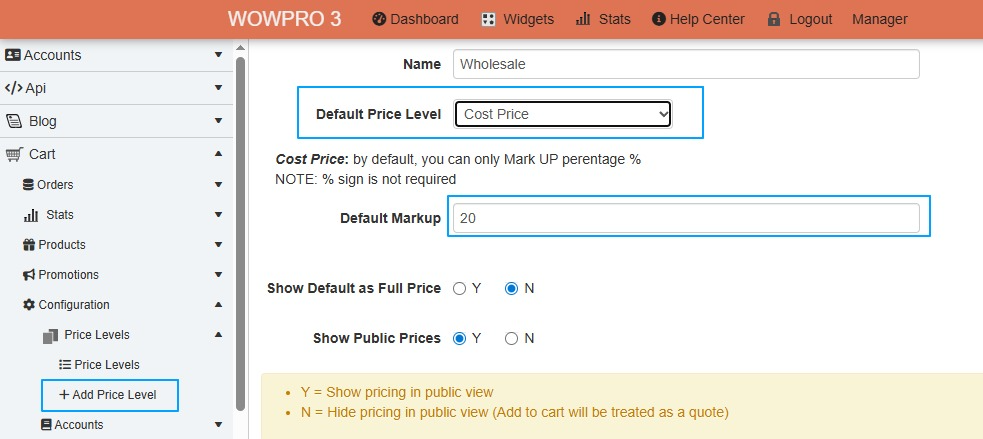
Add new price level, call it Wholesale
- Set the Default Price Level - You have 3 ways of doing this
- Manual Price list
- This is set up product variant
- Cost Price (Best model to use)
- Marked up from Cost Pricing
- Public Price
- Marked down from public pricing
- Manual Price list
As per the example below
Step 2:
Save and Exit
Step 3:
Create a new account type for Wholesalers
Cart > Configuration > Accounts > List Account Groups
Edit the Public Trading group. If there isn't a Wholesale group already there, then add new group.
Group Details:
- Group name = Wholesale Users
- Region = Australia
- Price Level = Wholesale
- Payment Methods = leave blank
- Shipping Methods = leave blank (If you have free shipping set, there is another step to take, so the wholesale client isn't included in the free shipping)
- Min Order Value = Normally, this is set to $200 or higher.