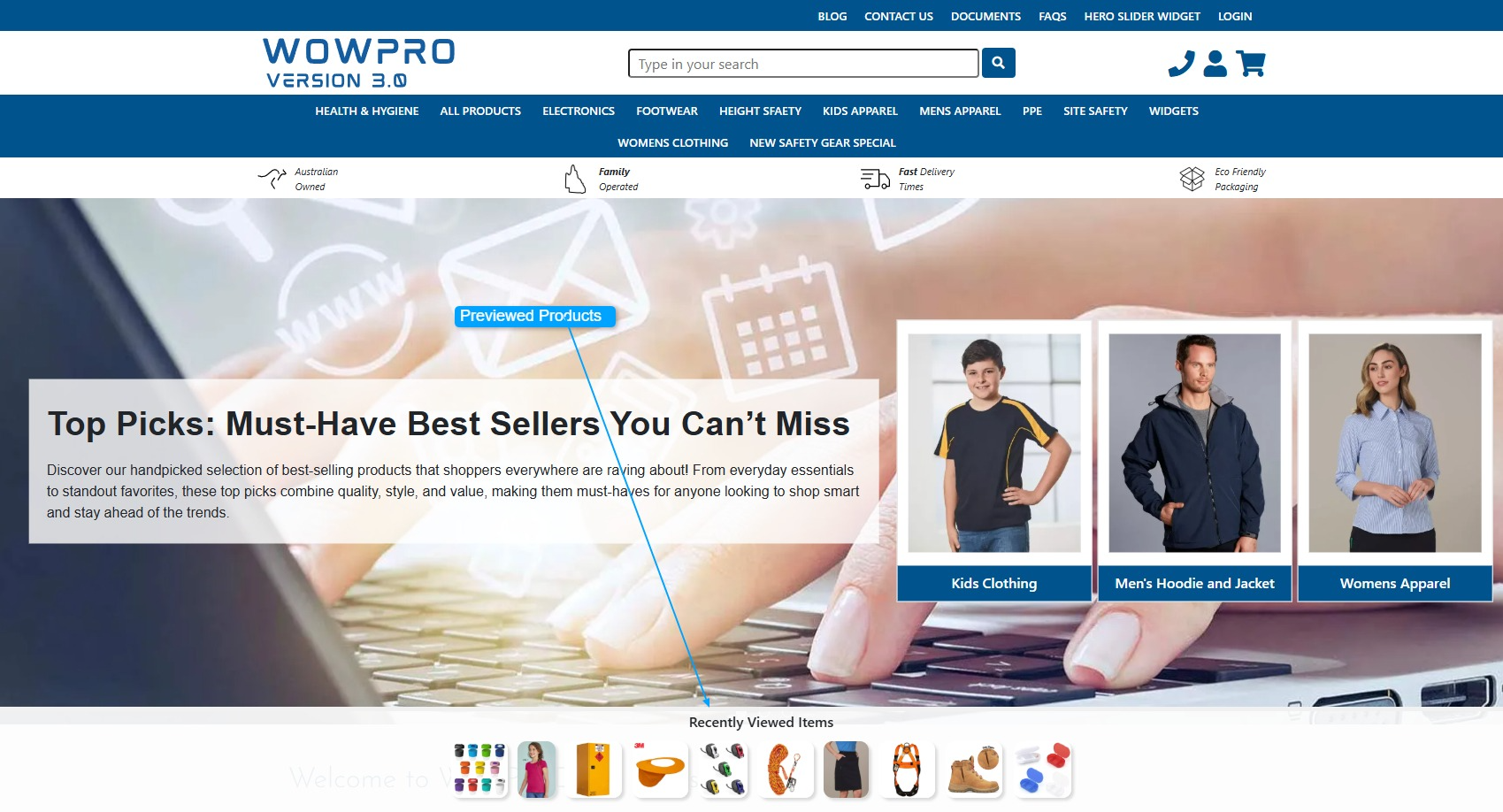
Add Previewed Products to template
Step 1:
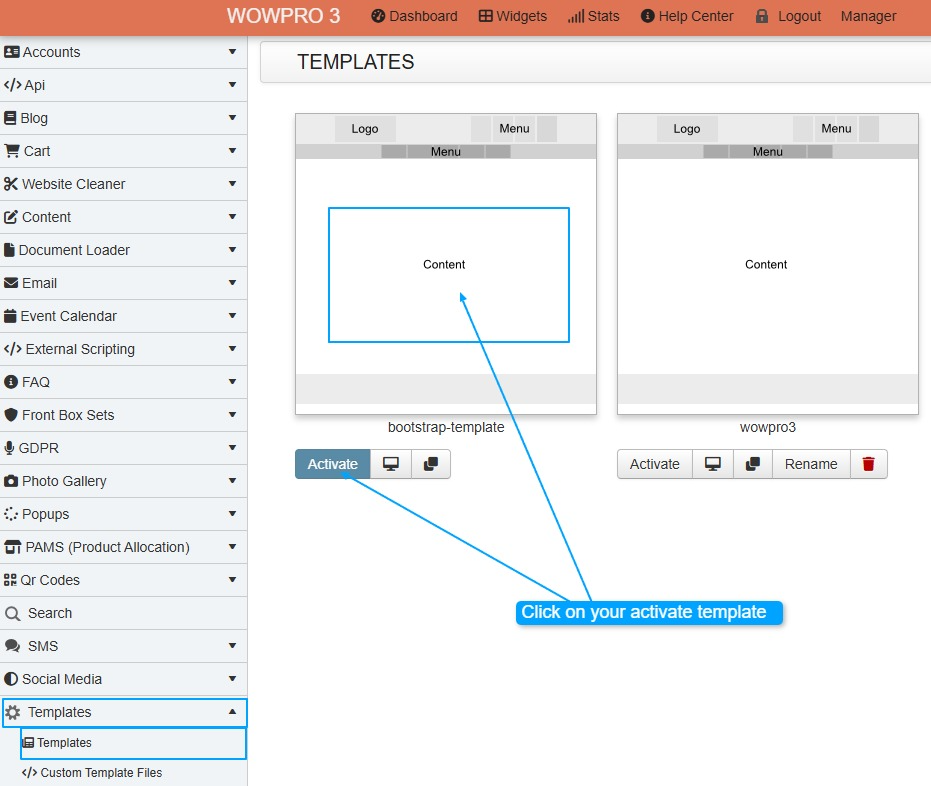
Left Hand side Menu - Templates -> Templates
Step 2:
Click on your active template
Step 3:
Add the snippet code towards the bottom of the template just above the ending body tag </body>
{{showViewedProducts}}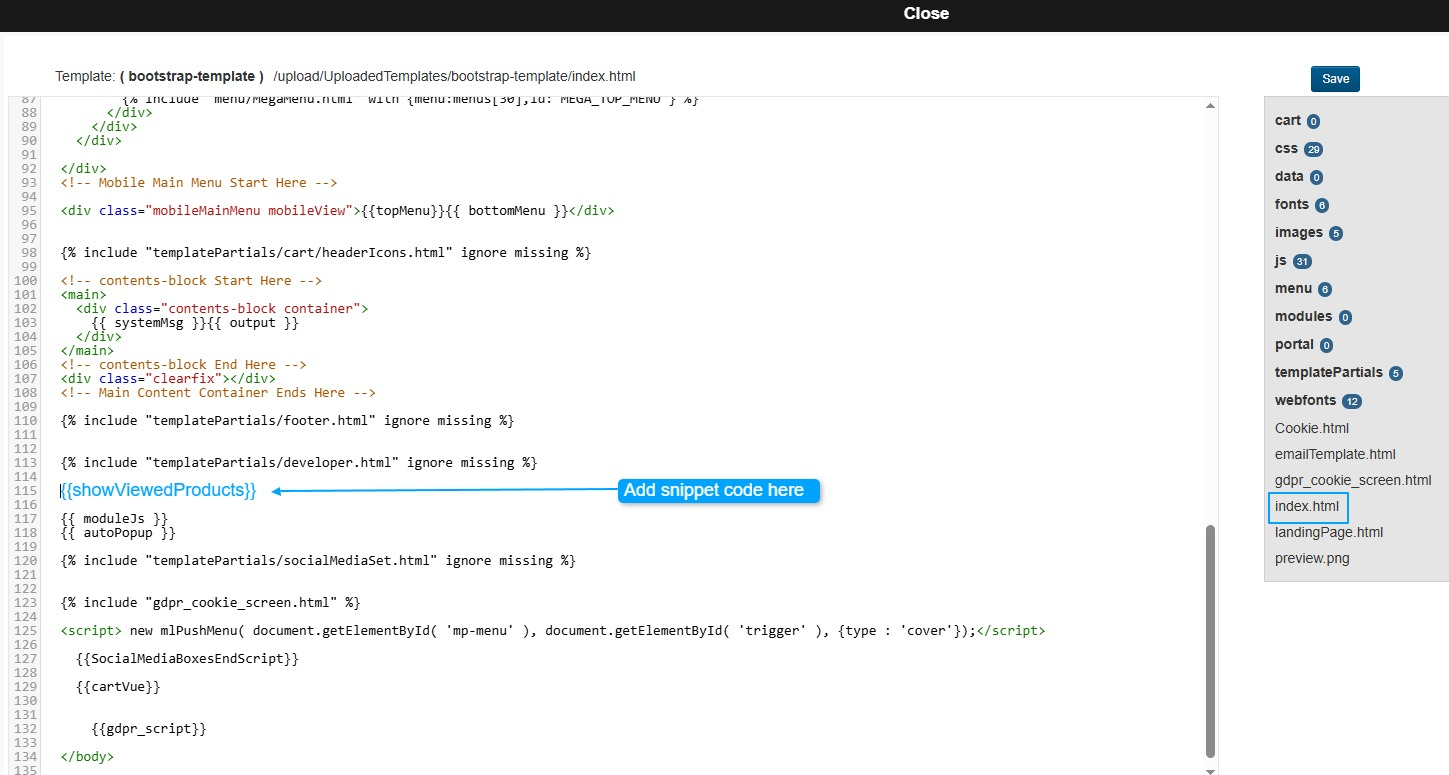
Step 4:
Click on the Save Button
Step 5:
Cart -> Configuration -> General Settings -> Display Tab -> Display [Show Product Previewed Limit]

You can configure the number of Previewed Items displayed in the Cart settings, up to a maximum of 12 items. Setting the value to 0 will disable the Previewed Items display completely.