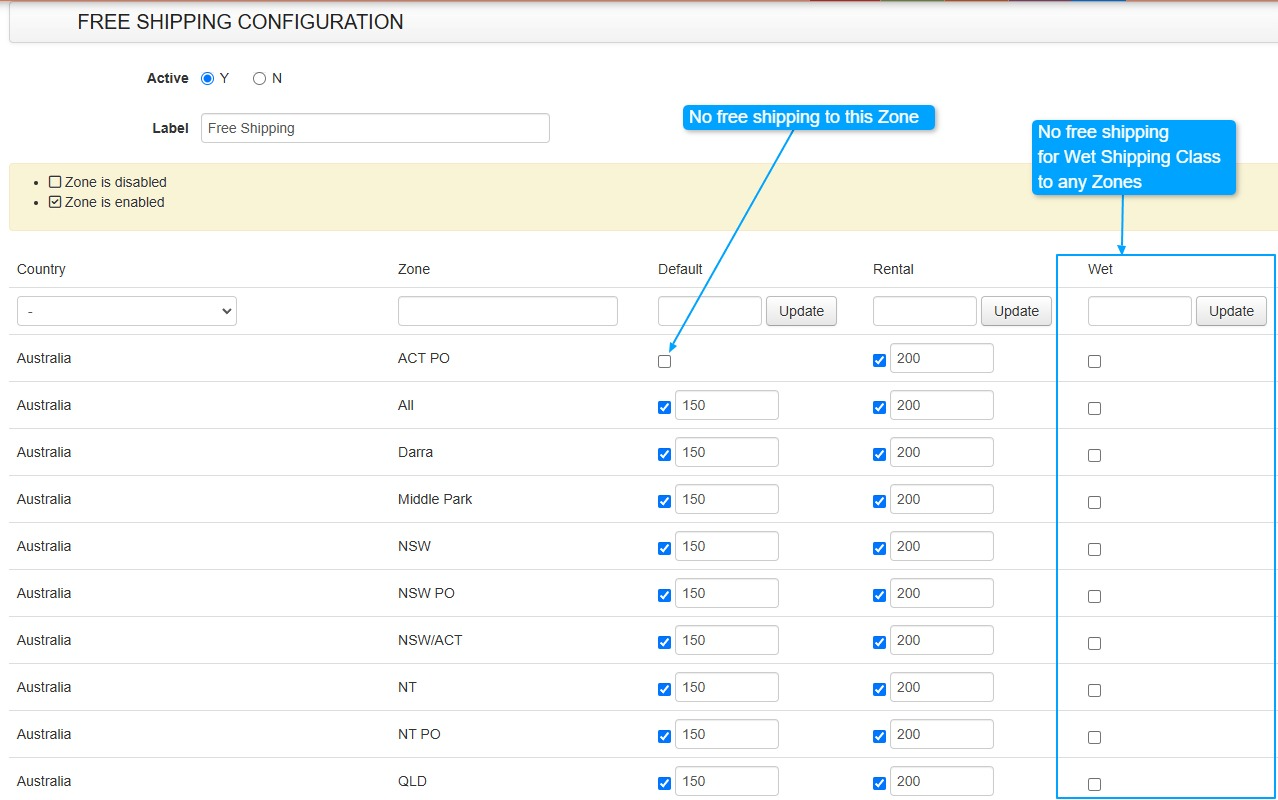
Free Shipping setup and how to bulk update the values
Bulk update for Free Shipping Feature in the Shipping Section.
Shipping section under Shipping → Rates → Methods.. Click on Free Shipping
Previously, updating zones had to be done one at a time. Now, a new screen allows you to filter all zones and shipping types in one place, making updates easier and ensuring full coverage.
Now you can add a value to the shipping type and quickly apply it across all zones by shipping class by adding a value and clicking the Update button