How to Add Your XML Sitemap to Bing Webmaster Tools
Note: You only need to submit your XML sitemap once. After it has been added, Bing will automatically revisit your sitemap to detect new or updated pages, so there is no need to resubmit it when your website changes.
Step 1 - Find the Sitemap URL
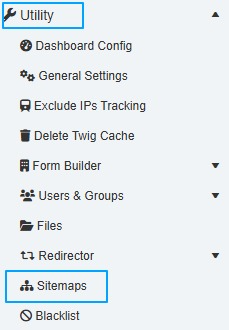
- Log in to your website's Admin area and navigate to:
- Utility → Sitemaps
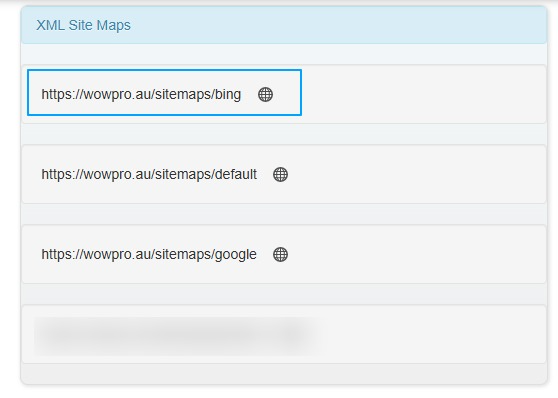
- From this page, locate and copy your Bing Sitemap URL.
Step 2 - Add new website to Bing
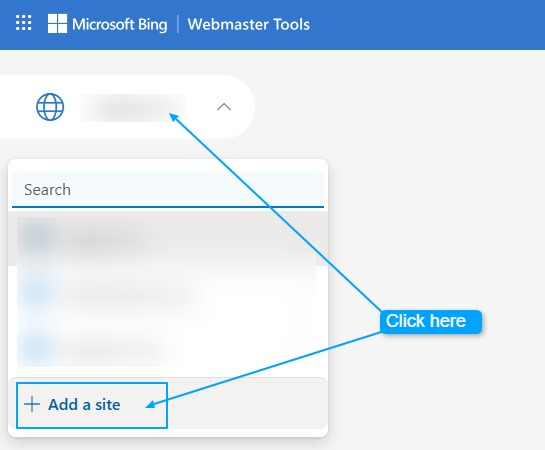
If this is the first time you have used Bing Webmaster Tools for your website, you will need to add and verify your website first.
Click Add a Site and follow the prompts to verify ownership of your website.
Step 3.
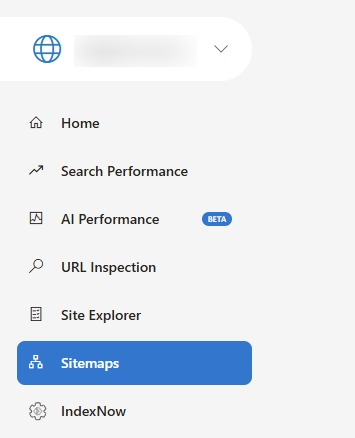
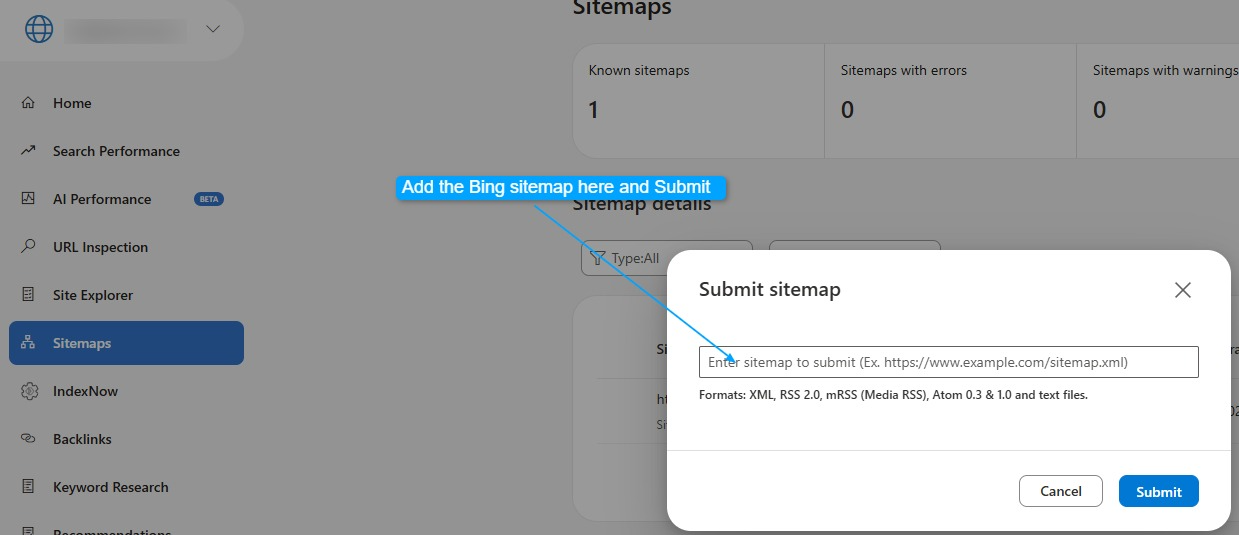
In Bing Webmaster Tools, navigate to:
- Sitemaps
- Paste the Bing Sitemap URL from your website's Admin area into the Submit Sitemap field and click Submit.
For example:
https://wowpro.au/sitemaps/bing
Your sitemap has now been submitted successfully.
Bing will automatically revisit your sitemap on a regular basis and index new or updated pages as your website content changes. There is no need to submit it again unless your sitemap URL changes.