How to Customise the vCard Template
How to customise the vCard template.
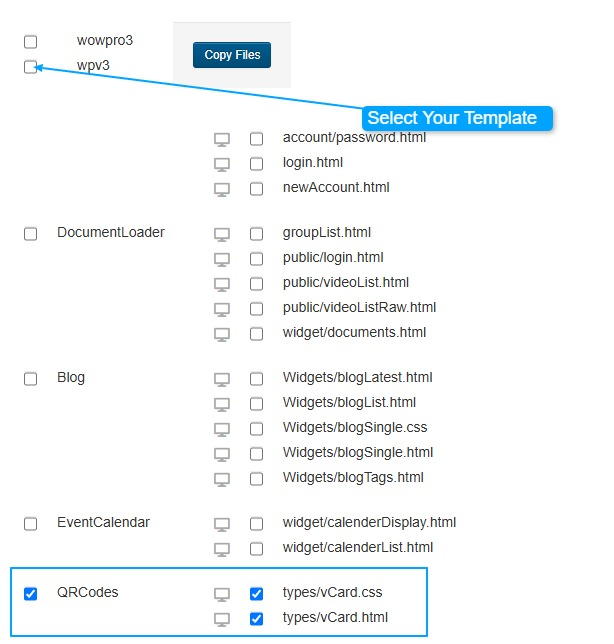
Go to Templates -> Custom template files
- Select QRCodes tickbox
- Select the template to copy them to
- Click on Copy Files
Go to Templates -> Templates and click on your Template
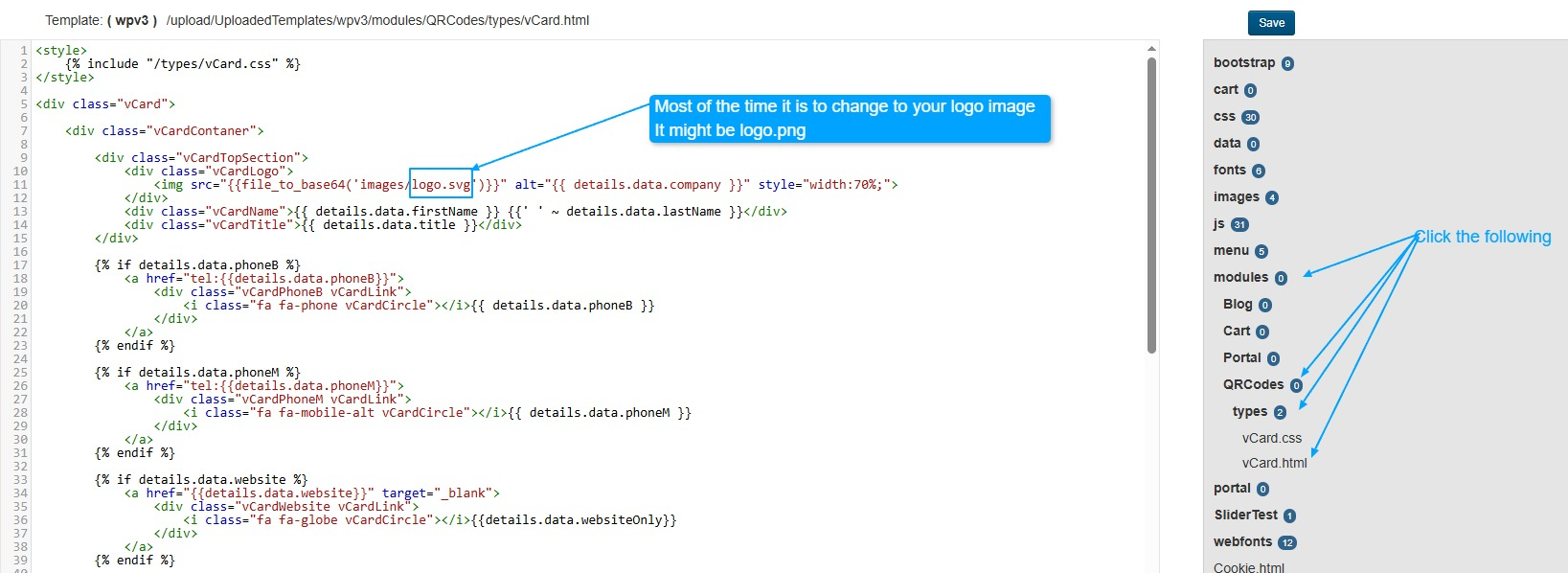
Once opened, click on the menu on the right side to navigate to the file you want to customise.
In the example below, we want to change the logo.svg to logo.png
Once you change the copy, click on save