Geo Meta Tags and Language
To target a specific country or multiple countries for search engines, you can use geo meta tags in your website’s HTML.
These tags help search engines understand the geographical relevance of your content.
Example of Geo Meta Tags:
<meta name="geo.region" content="AU" />
<meta name="geo.placename" content="Australia" />
<meta name="geo.region" content="GB" />
<meta name="geo.placename" content="United Kingdom" />
You can do a google search for geo.region for "Country you want to target"
Additional Targeting Methods:
Hreflang Attribute – If you have multiple language versions of your website for different countries, use hreflang tags:
<link rel="alternate" hreflang="en-au" href="https://example.com/au/" />
<link rel="alternate" hreflang="en-gb" href="https://example.com/uk/" />
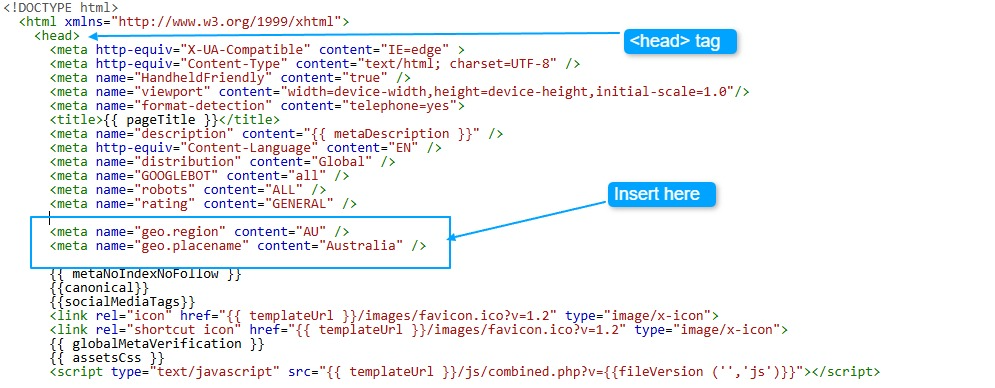
Any of these tags would need to be added into the head of the main index.html template page.
Example:
<head>
<meta name="geo.region" content="AU" />
<meta name="geo.placename" content="Australia" />
</head>