How to setup and Payment and Freight method to Invoice
Steps on How to setup and Payment and Freight method to Invoice.
Step 1:
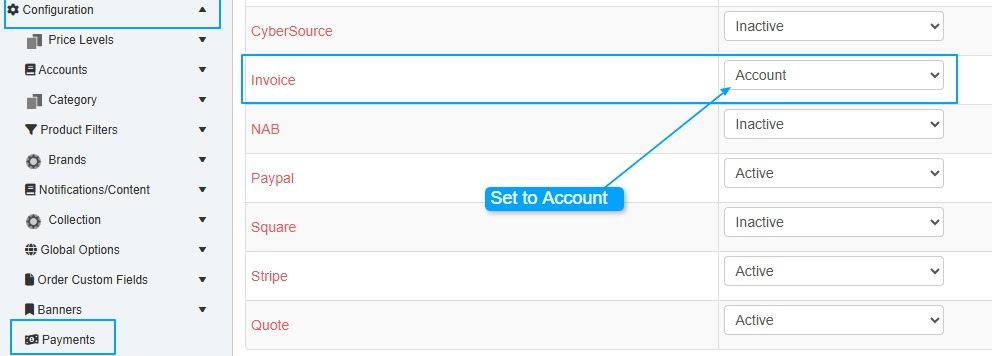
Go to Cart -> Configuration -> Payments
Invoice set to Account
Step 2:
Go to Accounts -> Groups -> Group List
Edit the Public Trading Group

Step 3:
Press the Add Group Button

Step 4:
Click Save
Step 5:
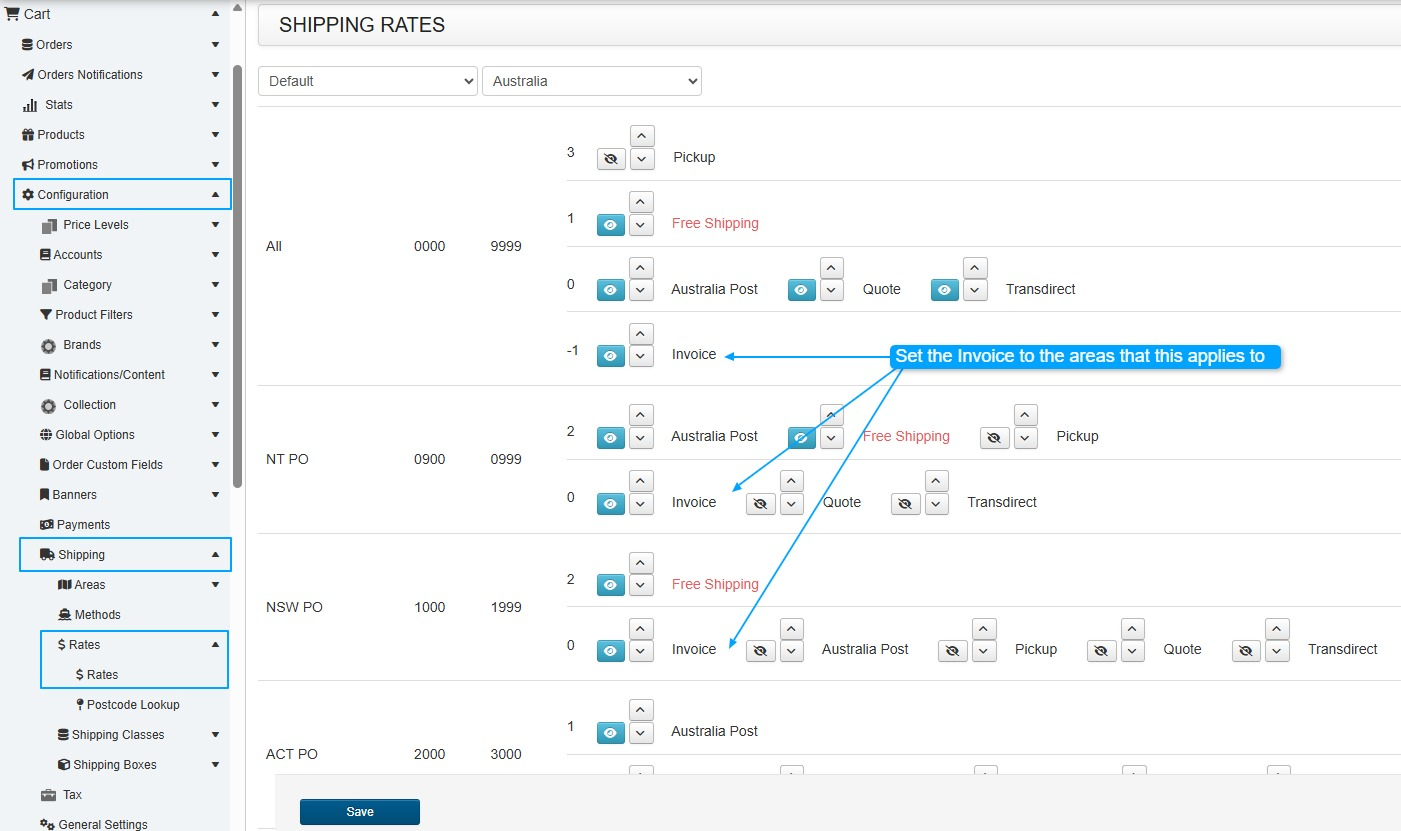
Go to Cart Configuration -> Shipping -> Rates -> Rates
You will need to set the shipping option for all the rates
Step 6:
Click the Save Button
Step 7:
Whether updating an existing customer or adding a new one:
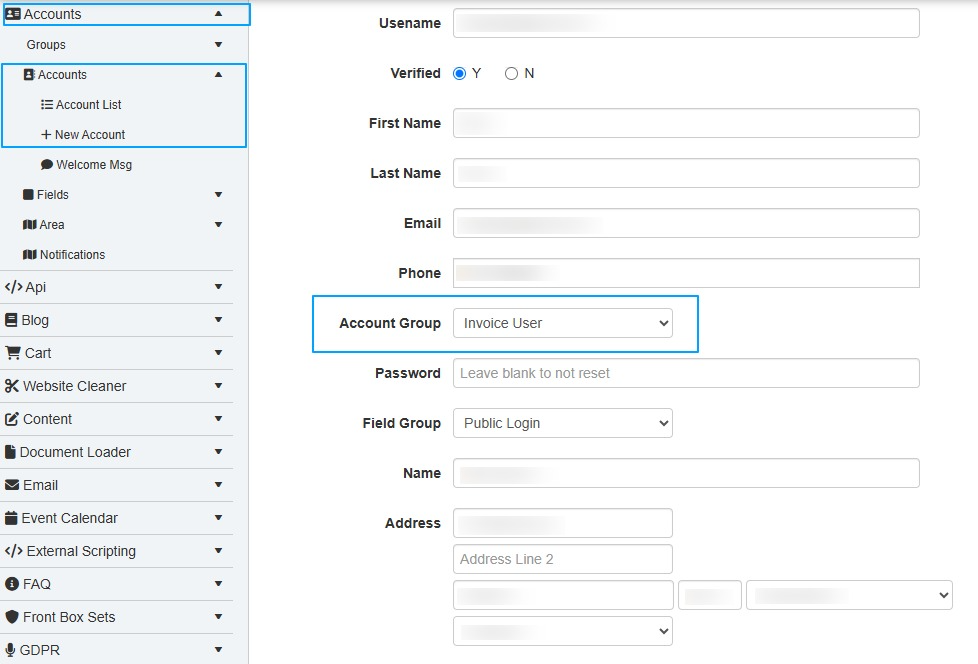
- To edit an existing customer: Go to Accounts → Accounts → Account List.
- To add a new customer: Go to Accounts → Accounts → New Account.
Under Account Group, select Invoice User
Then Save
This user will then have the option on checkout to select Payment Method Invoice and Shipping Method Invoice.
Note: If you have other shipping methods configured, such as Free Shipping, with the highest priority under Rates, these may also appear as selectable options for the customer.
Users can login using the icon normally found on the top right of the website.
If you want to add another menu for it, you can create the menu using the Content & menu webaddress method /login