How to add a discount price in
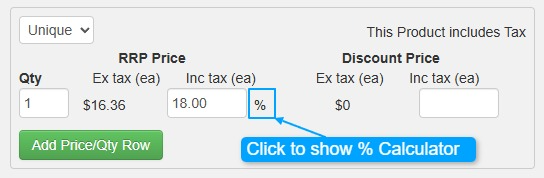
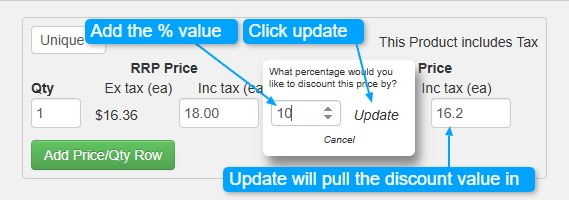
To enter an exact discount value, click on the % sign to open the Discount Calculator.
You can then:
- Enter the discount amount in the calculator and click Update to automatically apply it to the discount field.
- Manually type the discount directly into the discount value field.
This ensures a quick and accurate discount application.
To ensure your Discount pricing bubble show, check that the config is set.
You can find the config at: Cart -> Configuration -> General Settings -> Discount Tab

NOTE: Discount Product Bubble will only show if the product pricing discount is more then 5 (%) as below