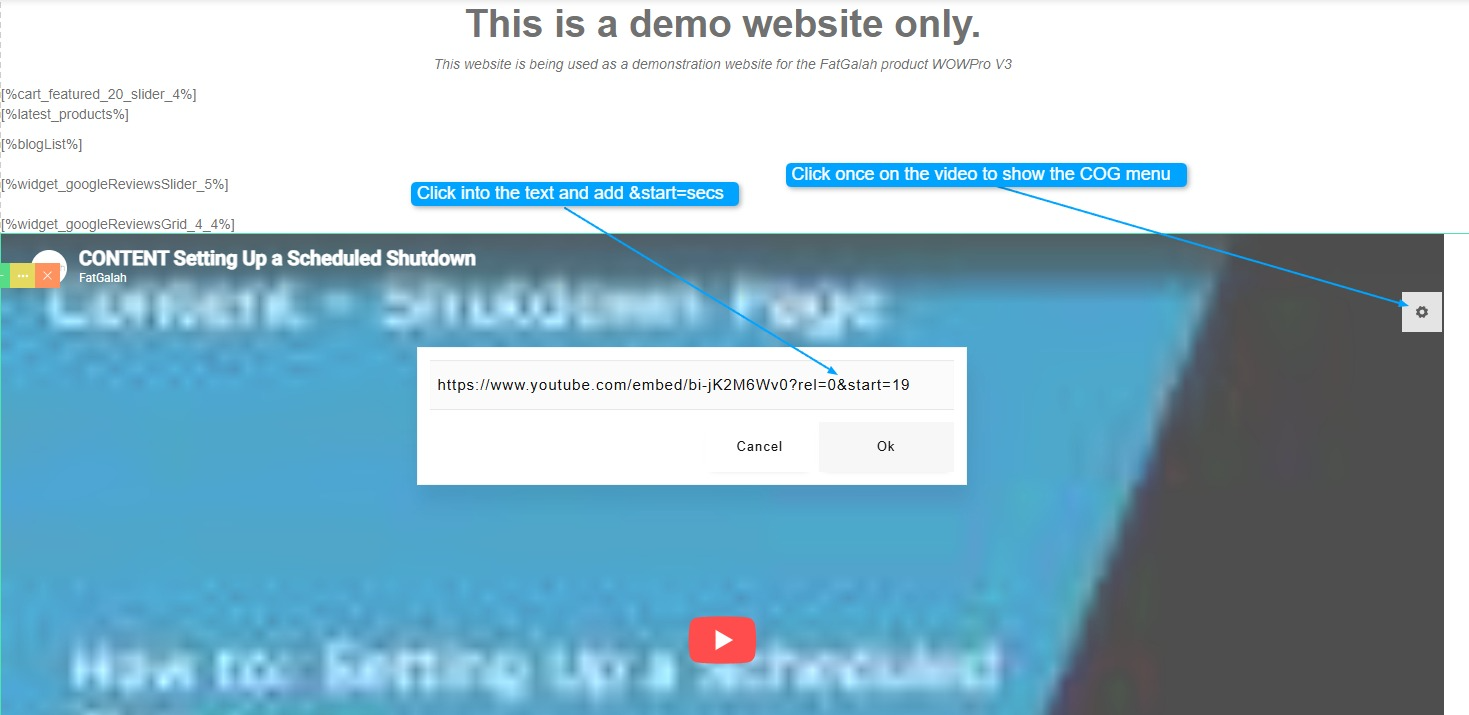
Adding a Start time to embedded Youtube Video
How to add a Start time to an embedded Youtube Video
The first time you save, it will remove the &start=19 parameters. Once you open again it will save the new &start=19 parameters.
Steps
- Open the page with your embedded Youtube Video.
- Click once on the video to show the COG menu in the top right of that screen
- Once the box shows with the Youtube link, click once at the end of the link
- IE: https://www.youtube.com/watch?v=bi-jK2M6Wv0?rel=0
- Add the following: &start=Number Of Seconds
- In the example below Start=19 - is start at the 19 second point of the video
- https://www.youtube.com/watch?v=bi-jK2M6Wv0?rel=0&start=10